Duolingo · iOS onboarding
Duolingo’s onboarding: every answer is a promise
Each onboarding question promises that the answer will change what the learner sees next. In one recording of Duolingo’s flow, the owl answers most choices, and the loading screen quotes a goal the learner never picked.
In one recording of Duolingo’s iOS onboarding, 5 of the 7 questions on the saved screens get an answer back on the same screen or the next one. The course pick turns into a line about people learning French. The level, the reason, the goal and the widget offer each get a reply from the owl. The question about where the learner heard of the app gets nothing. The screen after the last question wasn’t saved, so that one stays open.
The answer the flow breaks is the daily goal. On the goal screen, the learner picked 10 minutes a day. The loading line before the first lesson talks about 15.
I saw one recording, with no capture date, and Duolingo may run other versions.
I read every onboarding question as a promise: the answer should change something the learner sees later. To check the promise, I use the same two columns on any flow I review. List every question in one column. Next to each, write the screen that uses the answer. Then read every later screen against the answers it could contradict. The empty cells and the clashes are the fix list.
The price of the questions comes first
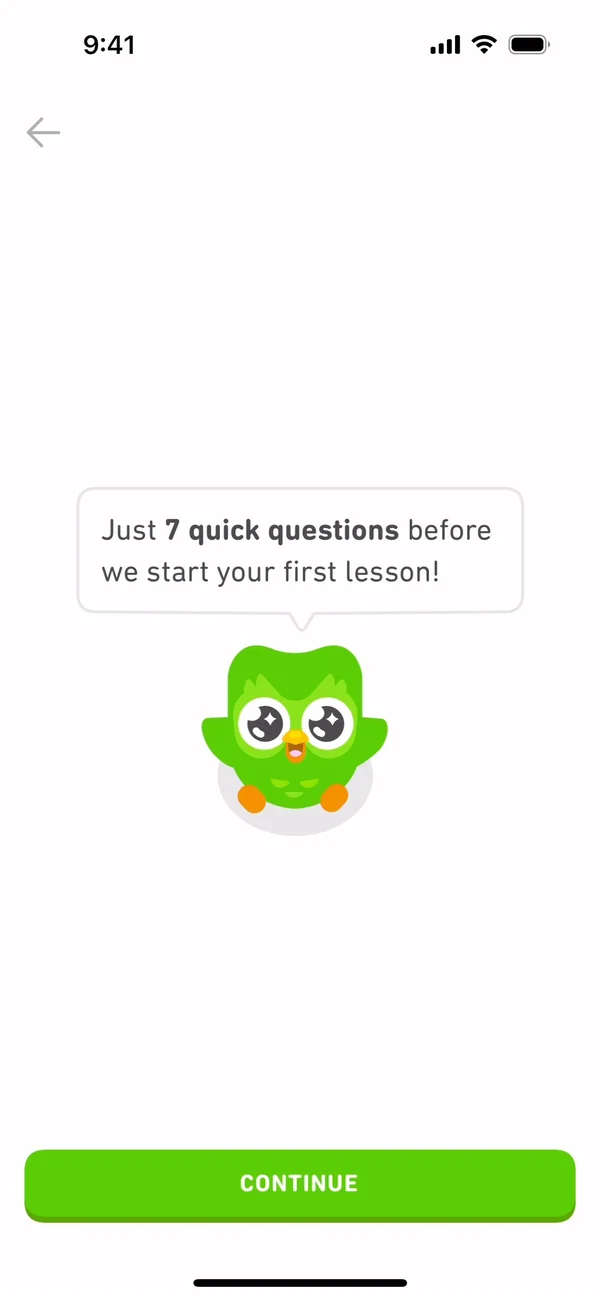
Before the first question, the owl says there are just 7 quick questions before the first lesson.
That line does two jobs. It puts a price on the questionnaire up front. It also names what waits at the end, the first lesson, which is the thing the learner came for.
A progress bar shows how far along you are. On these screens it says nothing about what you get at the end.
On the saved screens I count 7 asks, the same number the owl gives. Some screens are missing from the set, so I can’t say the count holds for the whole flow.
Most answers come back right away
The rhythm of the recording is ask, then answer back. The learner picks French, and the busy screen that follows talks about people learning French. They say they are new to it, on a scale of five steps that runs up to discussing most topics in detail, and the next screen holds nothing but the owl saying they’ll start fresh. They pick a reason to learn, and the owl’s line on the same screen answers it. Pick education, and it talks about tests. They decline the widget, and the owl says they can add it any time.
A reply screen repeats the answer in the app’s own voice, then says what changes because of it. The start fresh line confirms that the course begins at zero. A line about tests tells the learner the app heard why they came.
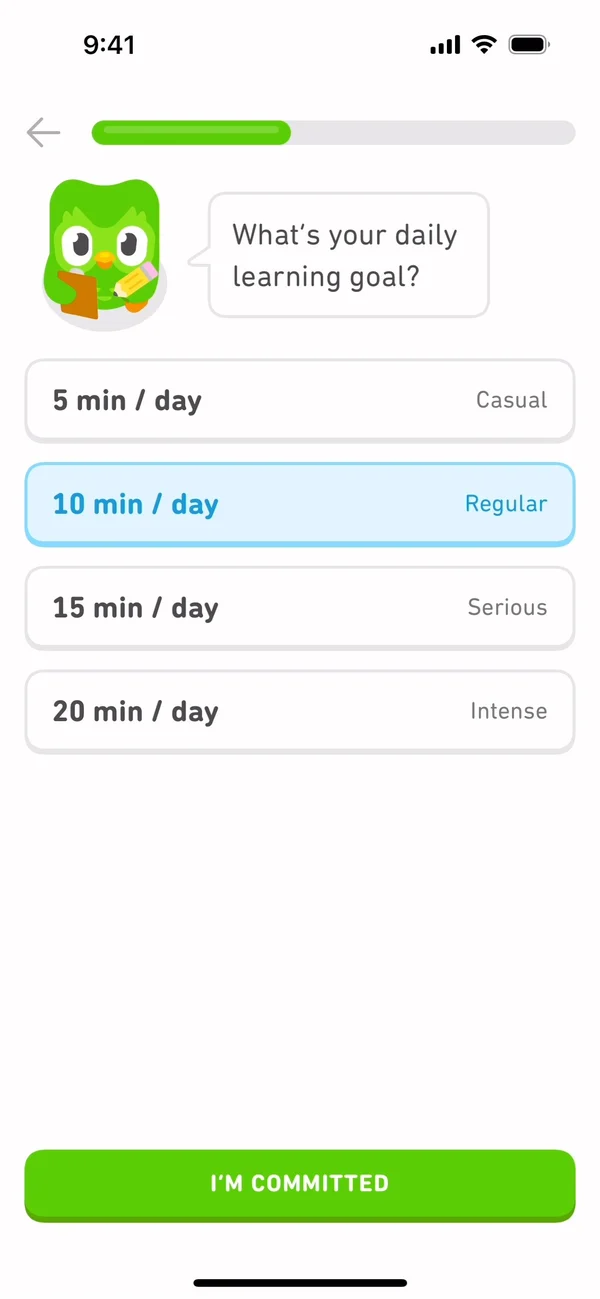
The daily goal goes one step further. The learner picks from four goals, from Casual to Intense, and the button under them reads I’m committed instead of Continue.
Then the flow uses that commitment at once. In the recording, the learner selects 10 minutes a day and taps I’m committed. The next screen says that’s 50 words in the first week. That screen doesn’t repeat the minutes. The order of the two screens is the only thing tying the goal to the words, and one tap is all that separates them.
Later, the learner who said they were new to French reaches a choice between starting from scratch and finding their level. Start from scratch carries a Recommended tag. It may be the level answer coming back as advice, or the same tag everyone sees. One recording cannot tell which. Either way, finding their level stays one tap away.
Not every answer comes back. The learner who picked education later sees a screen of what they can achieve, and it lists conversation, vocabulary and a habit. Tests aren’t there. On the saved screens, the reason comes back once, in the owl’s line.
Reply screens move the bar too
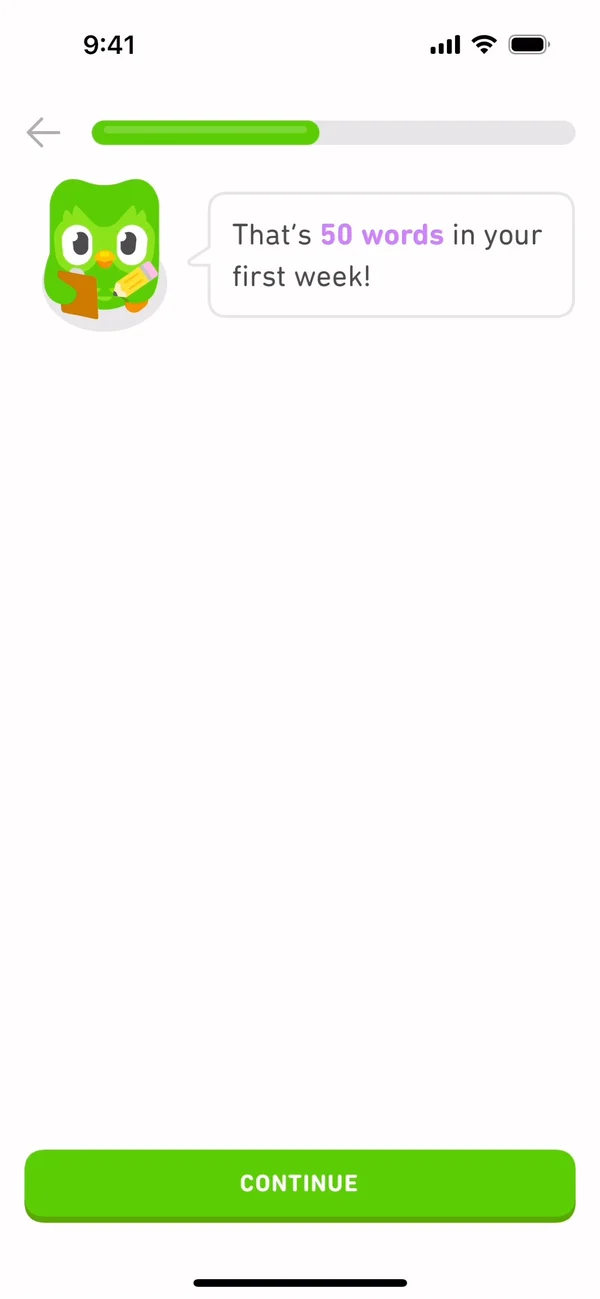
The progress bar appears with the first question, and it starts with a sliver already filled. It keeps growing on the reply screens too, where the learner only reads and taps Continue. Of the 11 bar steps on the saved screens, 4 ask for nothing at all.
The closest research I know is the coffee card study. In a study by Ran Kivetz, Oleg Urminsky and Yuhuang Zheng, customers given a 12-stamp coffee card with 2 bonus stamps already on it completed the 10 required purchases faster than customers given a plain 10-stamp card. The work was identical. The head start changed the pace. The same paper found that people in a real café reward program bought coffee more often the closer they got to a free one.
Reply screens look like free stamps. They move the bar without asking for effort. That’s an analogy and a guess to test, because the paper measured stamps on coffee cards and never looked at an onboarding flow. My bet is that the end feels closer sooner. Each of these steps also pays back an answer, which is what keeps it from reading as padding.
On your own flow, count the bar steps that ask for nothing, and check that each of them says something about the learner.
The loading screen quotes a goal the learner never picked
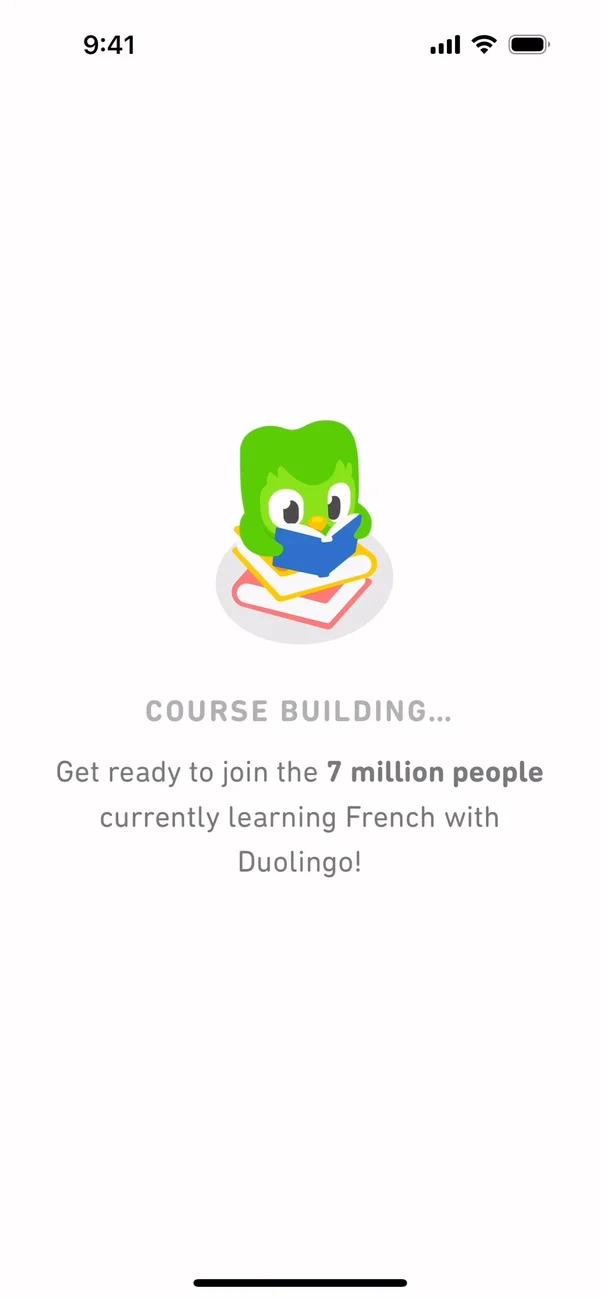
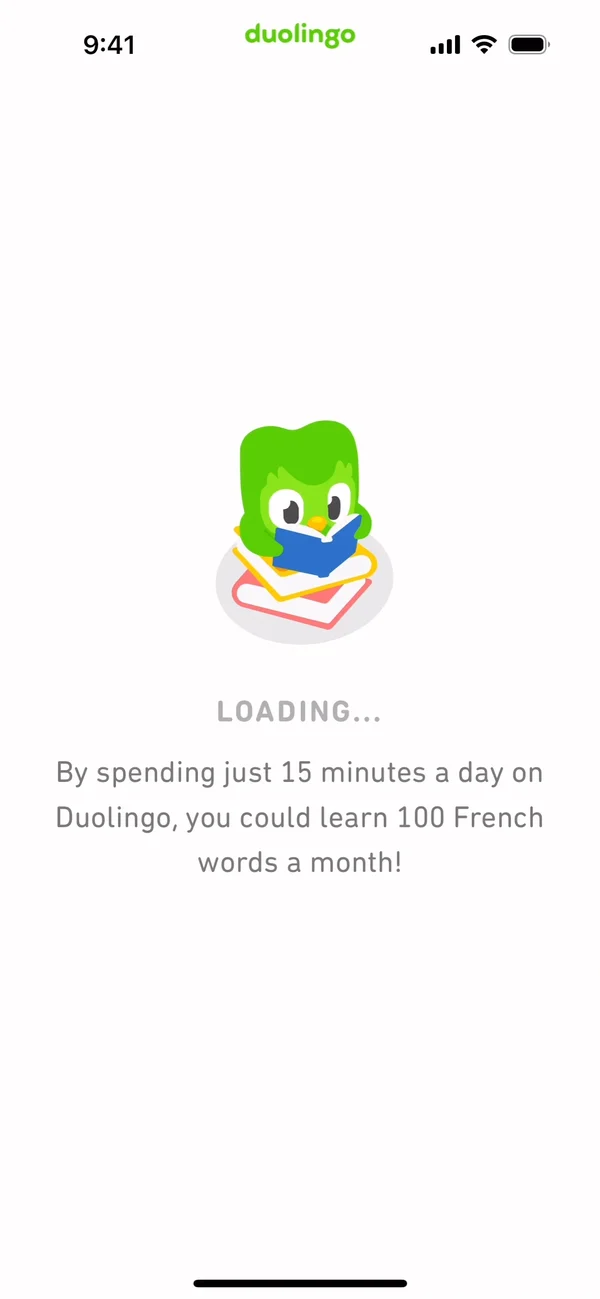
Twice the flow stops to look busy. After the course pick, a screen says the course is building. Before the first lesson, another says it’s loading, with the same owl reading on the same stack of books.
Neither busy screen shows any work, only an owl and one line of copy, so the line is all the wait gives the learner.
After the pick of 10 minutes, the next screen said 50 words in the first week. The loading screen says that 15 minutes a day could mean 100 French words a month. The learner never chose 15.
Maybe the line is the same for everyone, just as the Recommended tag may be. That would explain it. It may still be a miss, because the learner named a different number a few screens earlier and tapped I’m committed under it. The loading line could use the goal the learner picked, or carry no number at all.
I made the same slip in Farro, one of my projects: a first-run line said to pick one dinner, which was false for anyone who plans only lunches.
Two asks for Duolingo before the first lesson
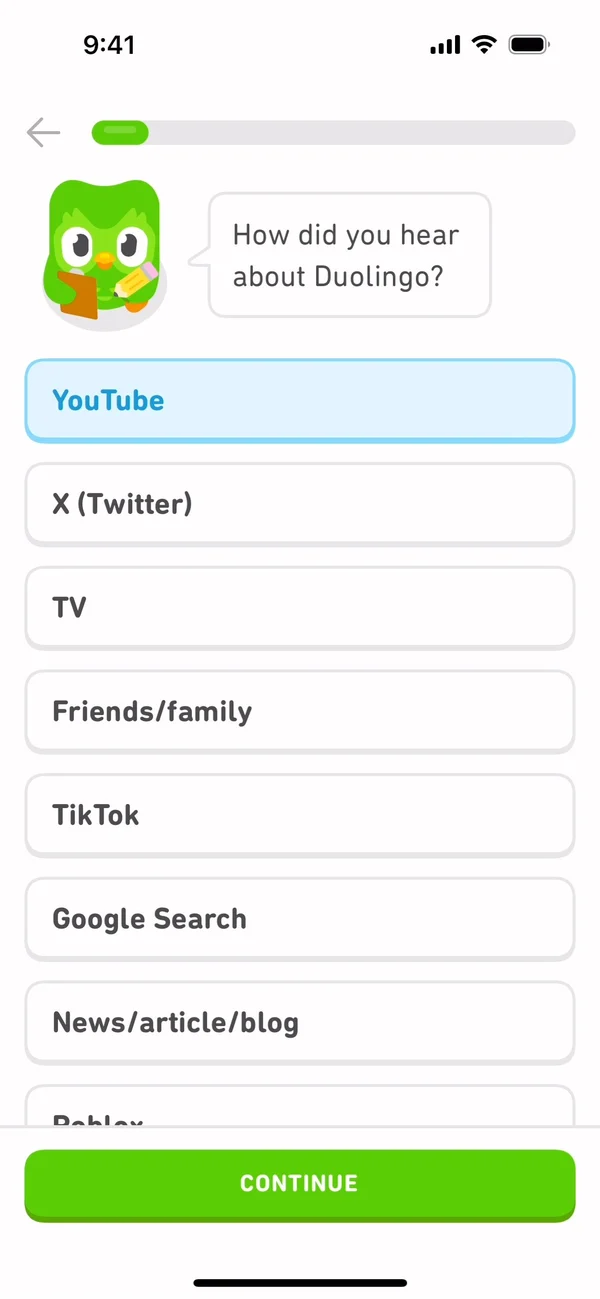
Two asks in the recording serve Duolingo more than the learner. One is the question about where the learner heard of the app, with YouTube, TV, TikTok, friends and more. The other is the offer to add a home screen widget, which comes right after the daily goal and before any lesson.
No screen I saw pays that answer back to the learner, and I’m not sure one could. Of the questions whose next screen was saved, it’s the only one that gives nothing back.
If a team needs that answer, ask it after the first lesson. By then the learner has had a win, and I read one question for the company as a fair trade. Asked right after the language pick, it reads to me like a form field. The cost is that anyone who quits before the first lesson never answers it.
The widget offer sits closer to the learner’s interest. It follows the goal and says tracking the habit is easier from the home screen. Below the line sits a drawing of a phone with the owl widget on it, then an Add widget button with a Not now link under it. Still, it asks the learner to change their home screen before they know whether they like the product. Saying no costs nothing, since the owl replies that the widget can wait. And nothing on the saved screens brings the offer back.
In a separate recording of the first lesson, the lesson ends on a celebration screen with the lesson complete, the points earned, a perfect score and the time it took. I think that is a better moment for both asks, because the app has just delivered the lesson it named on its first screen.
The rule worth stealing
Every answer comes back on a later screen, and no later screen contradicts it. If a question has no screen that pays it back, ask it after the first win.